

- 00000018WIA30C56970GYZ
- id_400250761.3
- Aug 21, 2022 6:54:41 PM
Inhance: 3D Velocity scan
Use Inhance 3D Velocity to acquire contrast-free angiography images with excellent background suppression at a shorter scan time in comparison to 3D PC. Typically used for renal and brain scans.
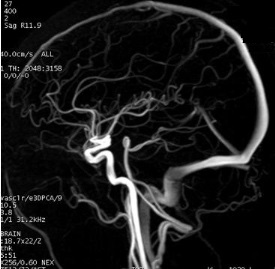
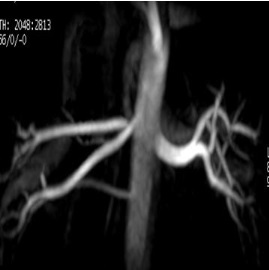
Consider this information when modifying InHance 3D Velocity scan parameters. For specific scan parameter values, select a protocol from your GE or Site library.
- Scan selections: 3D mode, Vascular family, Inhance Velocity pulse.
General
- Acquire a 3-Plane localizer during expiration.
- If any or all of these scan parameters are selected (ASSET, HyperBand, PURE), and if you select On from the Calibration in Prescan menu, which is located on the Details tab, a calibration scan is acquired during Auto Prescan.
Scan Parameters
- Scan plane: For brain scans, select a sagittal scan plane to reduce the number of slices and thus the scan time. For renal scans, select an axial plane.
- Slab: Graphically deposit and position a single slab.
- Prescribe more slices than needed to cover the anatomy of interest. This strategy reduces slice wrap around or aliasing artifact into the region of interest.
- Deposit a sagittal slab for brain scans.
- Deposit an axial slab for renal scans.
Imaging Options
- ASSET: If ASSET is selected, typically use the default ASSET acceleration factor.
- Respiratory triggering: Select it for abdominal scans.
- Select a 60% Trigger Window for efficient triggering. As the patient's breathing rate varies, increase the percentage.
- Select a 30% Trigger Point to acquire images during expiration.
- Click Update Rate to update the respiratory rate.
User CVs
Click the Advance tab to view the available User CVs. The CVs may vary based on the field strength and selected scan and imaging parameters.
- Percentage of pkfr
- Percentage of pfkr (80-100%): select 80%. The lower the value, a slight loss in slice resolution may occur but the scan is faster.
Post-process tasks
There are multiple compatible post-process tasks. For details, see Add post-process task.
- Maximum Intensity Projection
- Multi Planar Reconstruction
- Image Enhancement Filters