Auto Protocol Optimization multi-phase considerations
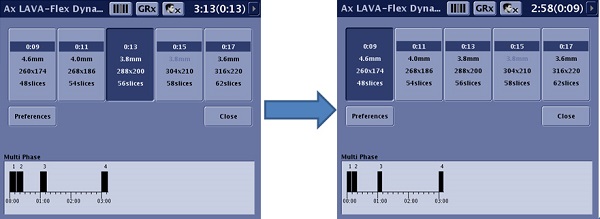
As you select a different Auto Protocol Optimization button, the acquisition time graph is updated. Figure 1. Note the time graph changes based on the selected Auto Protocol Optimization button
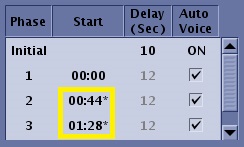
On the Multi-phase screen, an * appears next to a Start time or Delay if it is unable to preserve it based on the selected Auto Protocol Optimization button. In addition, a message appears in the Scan Parameter message area. Figure 2. * appears next to a Start time that cannot be saved