The scan prescription must be one of the following 2D PSDs:
FSE
FRFSE
2D GRE
SSFSE
SSFSE-IR
FastCard
FastCINE
FIESTA
About this task
Use these step to prescribe multiple slices acquired around a central axis in the same series. This type of prescription can be useful for imaging, but not limited to: knees, MRCP (Magnetic Resonance Cholangiopancreatographies), myelograms, and hearts.
Step-by-step instructions
From the Graphic Rx toolbar, click the .
Result
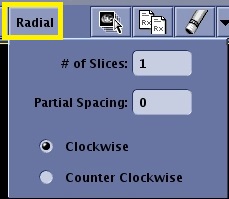
The Radial menu opens.
In # of Slices, enter a number value to specify the desired number of slices.
Figure 1. Radial menu
Be sure to do this before you press click to deposit the locations.
If slices are deposited and then the number of slices is changed, the system views these additional slices as a second group and therefore the system acquires two separate groups of images and doubles the scan time.
The maximum allowable is 36.
Keep the number of slices at the default of one if you do not desire to perform a radial prescription.
In Partial Spacing, enter a value to specify the degrees between each slice to control the angle between slice locations.
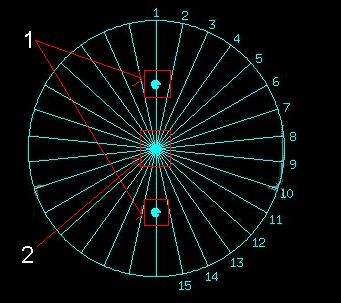
Enter 0 for a wagon wheel graphic prescription with the angle between each slice determined by the value entered in # of Slices.
Enter 0 for all the slices to have the same angle. This allows you to scan all slices in one breath hold. For multiple shorter breath holds, type in any number to break up the group.
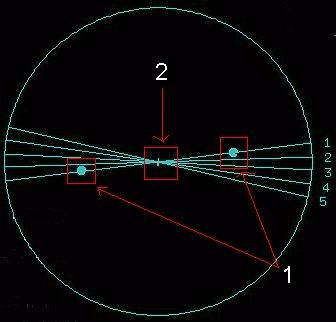
Enter 0 or 1 for a radial prescription. If you enter 1, the system pauses after each slice and you need to click Scan to acquire each slice. If you select 0, cross-talk can occur where the slices intersect.
Optional: Select Clockwise or Counter Clockwise to change the direction of the image acquisition.


 .
.