

- 00000018WIA3020F770GYZ
- id_400256841.2
- Mar 9, 2022 5:07:52 PM
Protocols and Review steps
Protocols
A Protocol is the name given to a set of Review Steps, layout formats and viewing parameters.
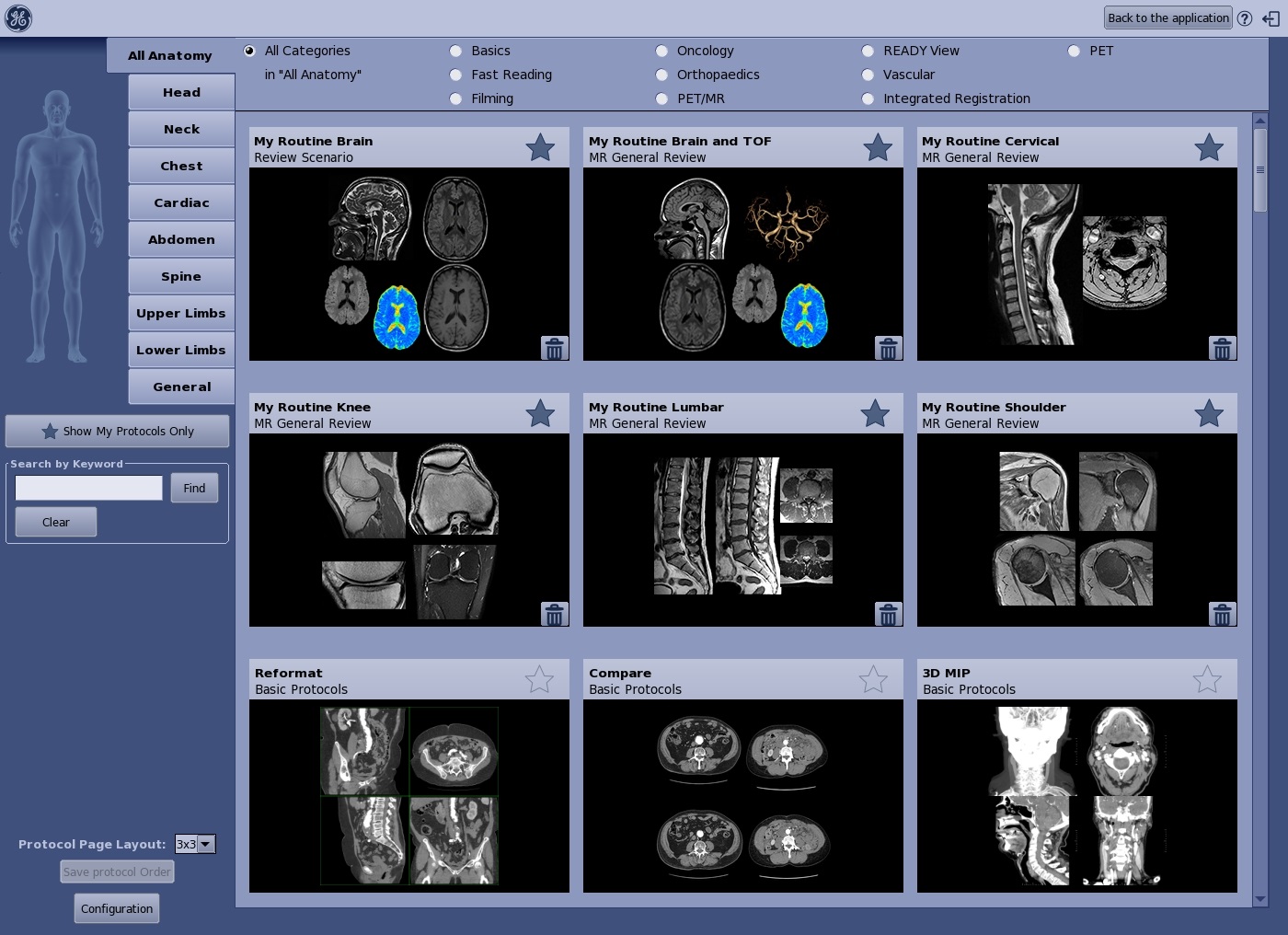
The default set of Protocols provide single click access to the most frequently needed processing tasks:
- Reformat displays reconstruction in 3 orthogonal planes and in oblique thin slices.
- 3D MIP displays a 3D MIP reconstruction.
- MPVR 3 mm Average automatically switches all views to slabs of 3 mm. Slab thickness of all views can be modified by using the thickness slider of the MPR/3D tool while the Apply to all option is selected.
- Curved reformat automatically opens the Trace panel that guides you through the creation of a curved reformation and switches the upper left viewport to Curved type
- Volume Rendering to display a volume rendered view.
- Multi Oblique moves to an optimized layout for oblique prescription. Adjust the axis to set oblique planes.
- Functional maps as part of READY View application.
For more details on the Protocol screen, see Protocol selection work area.
Review steps
The Review Steps are comprised of a series of single-click processing tasks. All protocols have Review steps that provide a suggested sequence of image review and analysis. You can build your workflow into the Review steps and then from the Review Manager save the content as a protocol.

For more details on the Review steps screen area, see Review steps work area.
Layout formats and Review Manager
Layout formats, as part of a protocol, are selected from the  .
.

For details, see Review Manager and layouts work area.
Protocols and Review steps topics
- Protocol selection work area
- Review steps work area
- Review Manager and layouts work area
- Change the order of the items in the Review Step list
- Change the order of the protocols on the Protocol Selection screen
- Create a protocol
- Add a favorite protocol
- Rename a protocol
- Save a protocol or a review step
- Use Split layout to add a customized view
- Save a layout
- Delete a Protocol or Review step