

- 00000018WIA304CFE80GYZ
- id_400252791.3
- Jun 30, 2022 5:01:01 AM
Scan the phantom
About this task
The DAQA procedure provides a means for you to track overall system or RF coil functionality. The application supports all GE coils that have the coil ID feature.
Important: To obtain meaningful, reproducible data for a given RF coil, consistency and repeatability is key. Always use the same phantom, the same positioning of the phantom in the coil and the same landmark at the same location on the phantom/coil.
| Phantom name |
|---|
| 1.5T TLT Head Sphere (Green) |
| Body TLT Sphere Phantom |
| Body TLT Loader |
Step-by-step instructions
- Set up the desired coils and the phantom on the table. The coil and phantom you choose will depend on whether you are going to perform the SNR or System test.
- Place the coil on top of the cradle and place the phantom holder and phantom inside the coil - in this example, the TDI Head Neck Array coil.
Figure 1. Example of the TDI Head Neck Array coil 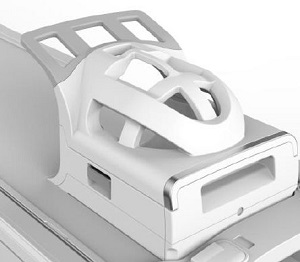
- If you are using the body coil, use the Body TLT phantom and Loader. Follow the pictorial guidelines below to transport the phantom.
Figure 2. Correct phantom transportation 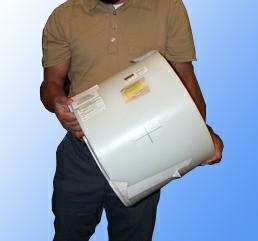
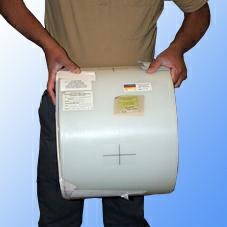
Figure 3. Incorrect phantom transportation 
- Place the coil on top of the cradle and place the phantom holder and phantom inside the coil - in this example, the TDI Head Neck Array coil.
- From the Worklist Manager, click the
 to begin a scan.