- 00000018WIA30758970GYZ
- id_400247021.2
- Mar 28, 2022 3:37:27 PM
FiberTrak screens
The FiberTrak screen displays when a DTI series is selected from the Worklist Browser, READY View is launched, and a DTI protocol is selected.
For processing threshold details, see Threshold adjustment.
Review Steps
Review Steps content may vary if they have been customized and saved.

FiberTrak screens
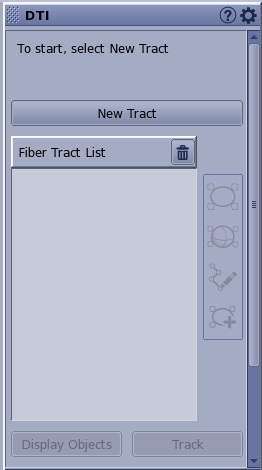
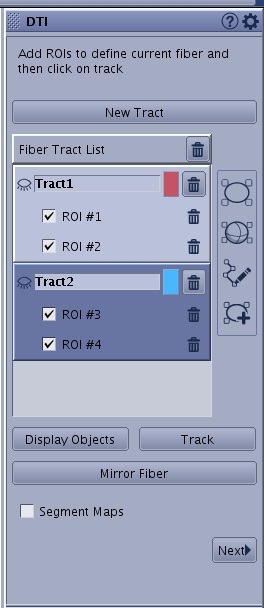
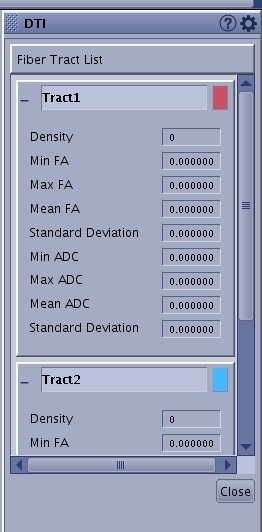
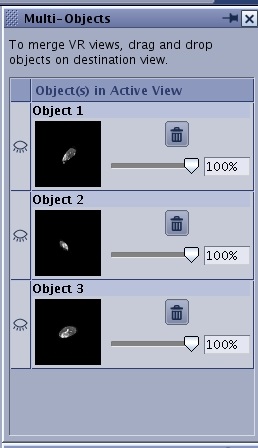
- Display Object is a list of fiber track objects. An open eye displays the object on the fiber track viewport and a closed eye hides the object on the fiber track viewport. The objects can be the orthogonal planes, a volume rendered 3D head, a 2D anatomical image, individual fiber tracks, etc.
Tools
The Tools icon ( ) displays additional DTI FiberTrak selections.
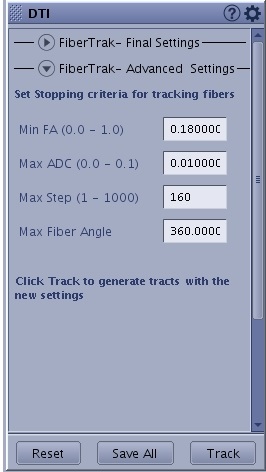
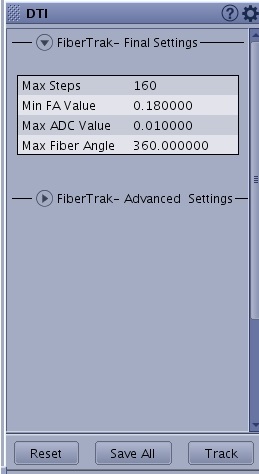
- Min FA: the anisotropy threshold below which the fiber computation will not occur.
- Max ADC: the ADC threshold above which the fiber computation will not occur.
- Max Step: controls the maximum length of the tracked fibers. It controls how many steps are made before terminating the tracking of the current fiber.
- Max Fiber Angle: used to terminate the tracking of a fiber if the change in direction of the fiber between two adjacent segments exceeds the specified angle. A value of 360 degrees essentially removes the angle threshold altogether because it permits any angle.