About this task
Use these steps to delete a batch film protocol.Step-by-step instructions
- Open MR General Review.
- From the Export Toolbar, click the Batch icon (
 ) to view the Batch screen.
Figure 1. Batch screen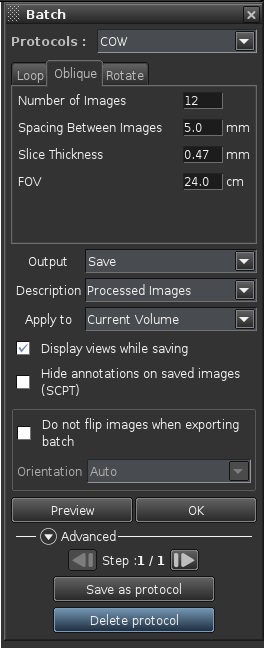
- From the Batch screen, select a protocol from the protocol menu.
- Click Advanced arrow if the Advanced area is not visible.
- Click Delete protocol.
- Click Yes to the confirmation prompt to delete the protocol from the list.
The Delete Protocol key is not available if you select a system-supplied protocol.

