Use these step to preview a batch Loop, Oblique or Rotate movie before you save the movie to the patient list.
Step-by-step instructions
Open the MR General Review.
Click Preview from the Loop, Oblique or Rotate tabs.
From the Cine screen, select a Mode: Paging or Rock.
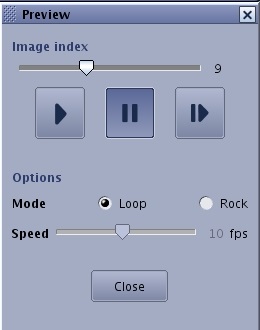
Figure 1. Preview screen
Loop displays the movie from start to end, then start to end. For example, if there are 20 images in the movie, the images display 1-20, 1-20, 1-20, etc.
Rock displays the movie from start to end, then end to start. For example, if there are 20 images in the movie, the images display 1-20, 20-1, 1-20, 20-1, etc.
Click and drag the Speed slider bar to adjust the frames per second.
To start the movie, click the Start Arrow icon ().
To pause the movie, click the Pause icon ().
To increment the movie one frame at a time, click the Step icon ().


 ).
). ).
). ).
).