

- 00000018WIA3092F770GYZ
- id_400237681.2
- Mar 9, 2022 11:39:12 AM
Review Controller
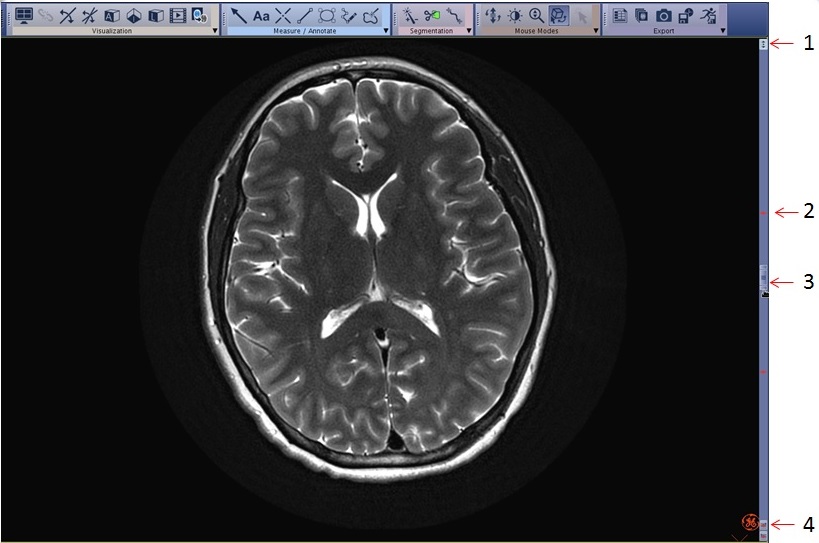
Use the Review Controller screen as display short cuts. The image selection slider appears on the right side of the image.
| Number | Option | Description |
|---|---|---|
| 1 |  | Click to set the image paging speed. Select one of the two available speeds:
The viewport must be an orthogonal image and the mouse mode must be in Page/Rotate mode. |
| 2 | Bookmarks
| Click to navigate to an image that has a graphic. |
| 3 | 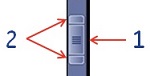 | Click and drag from the center of the Scroll icon (1) to select an image. To page you can also press the Ctrl key while moving the mouse up and down. Click and drag either side buttons (2) to change the thickness of the MIP image. Slice thickness adjustment is not available on 3D views. |
| 4 |  | Click a graphic bookmark to navigate between ROIs. |
