

- 00000018WIA307FF770GYZ
- id_400238041.2
- Mar 9, 2022 12:23:23 PM
Preferences
The Preferences screens allow you to determine MR General Review global settings. To view the Preferences screens, from the MR General Review work area, click the  in the upper right corner. From the Preferences menu, click an item.
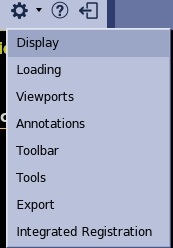
This section provides details related to the preferences menu:
- Display preferences
- Loading preferences
- Viewport preferences
- Annotation preferences
- Toolbar preferences
- Tools preferences
- Export preferences
- Integrated preferences