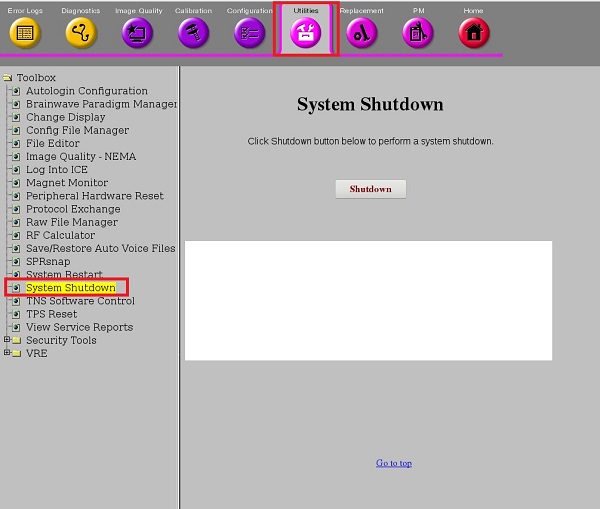
Object ID: 00000018WIA30FB0F80GYZTopic ID: id_40025694 Version: 1.2Date: Jun 23, 2022 3:22:13 AMSystem shutdown About this taskUse these steps to turn off the system in an emergency when you want to skip the 60 minute cool down time.Step-by-step instructionsIn the header area of the screen, click the Tools icon .In the System Management work area, click the Service Desktop Manager tab.In the Service Desktop Manager, click Service Browser.In the MR Service Desktop screen, click the Utilities tab. Figure 1. MR Service Desktop tabs area Select System Shutdown. Figure 2. System Shutdown on Utilities tab Complete the steps in Extended shutdown. To restart the system, follow the steps in Startup from an extended shutdown. Wait 60 minutes after the startup before you start to scan. Not waiting the 60 minutes could impact image quality.


 .
.