• Object ID: 00000018WIA302F2870GYZ
  • Topic ID: id_40022555 Version: 1.6
  • Date: Feb 1, 2022 12:43:37 PM

System logon

About this task

The logon feature requires you to log on to access your system. Logon and logout is done using a lock-screen. Entering a username and password opens the lock-screen. If you are not performing a system shutdown when you finish using the system, you should lock the screen so others can log on. A logout also occurs after a period of inactivity set by your administrator.

Use these steps to log back in.

Step-by-step instructions

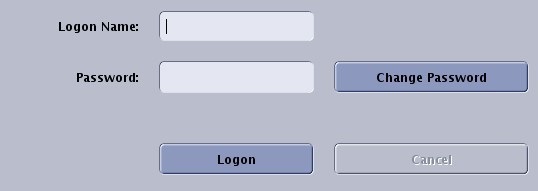
  1. Type and enter your Logon Name.
    • Check with your system administrator for your specific logon credentials, if you don't know your logon name.
  2. Type and enter your Password.
    • Check with your system administrator for your specific logon credentials, if you don't know your password.
  3. Click Logon.
    • Logging off does not prohibit other users from logging in. Logout is designed to protect patient privacy, not stop approved users from logging in.
    • When you or another user logs back in, the system returns to its last known state.
    • Note: The upper area of the logon screen (GE logo area) changes based on your MR system.
      Figure 1. Button and text box area of Startup screen