

- 00000018WIA30307870GYZ
- id_400218251.3
- Feb 11, 2022 10:51:01 AM
e-Report
About this task
e-Report is an application that allows you to read service reports created by a field or on-line engineer. You can view, print to pdf and export the reports. The reports appear in the Unread list when a service engineer has created and saved a report. The report is moved to the Read list once you open the report.
The service report includes the hospital name, system ID, system name, and the date it was generated.
Service reports for the last 3 years are maintained on the system. Reports older than 3 years are automatically deleted.
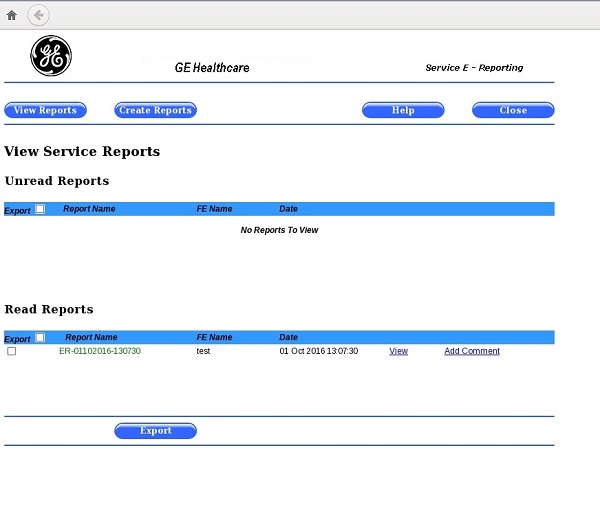
| Screen area | Description |
|---|---|
| Unread reports | The list of service reports that have not yet been viewed. Once a report is viewed, it is moved to Read Reports list. |
| Read Reports | The list of service reports that have been viewed. |
| Export | Displays a pop-up window from which you select the export device of the selected report. 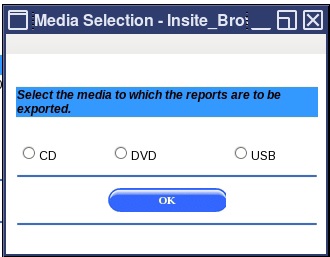 |
| View | The View link opens the report. 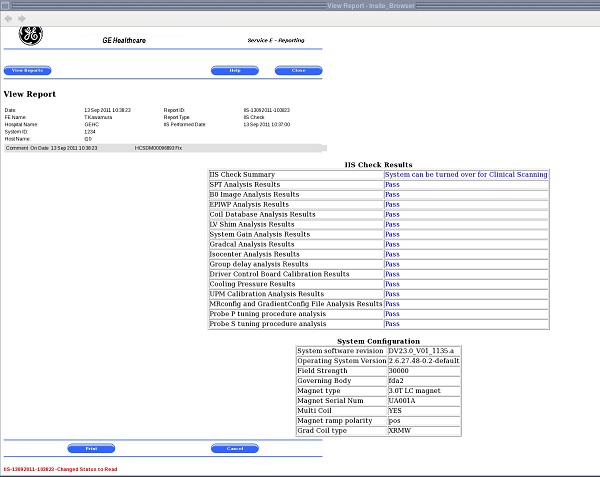 |
| Print generates a pdf file of the report. | |
| Cancel | Closes the report and returns the screen to the View Service Reports screen. |
| Close | Close exits the e-Report application. |
Use these steps to view, print to pdf, or export a report.
Step-by-step instructions
- From the footer area of the screen, click
 icon.
icon.- An "i" next to the icon indicates an
 .
.
- An "i" next to the icon indicates an