- 00000018WIA3065E870GYZ
- id_400268721.4
- Mar 24, 2022 5:12:41 PM
Change PSD within a protocol
About this task
Step-by-step instructions
- Start a scan session.
- From the Workflow Manager, select the desired series.
- From the Scan/Task controls panel, click Setup.
- From the Series Summary panel, click Imaging Options....
- Click More.
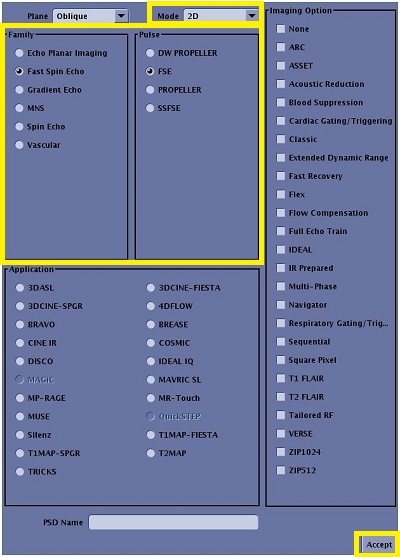
- From the PSD/Imaging Options/Applications screen, complete the following.
- Select a Mode.
- Select a Family.
- Select a Pulse.
- Click Accept.
Figure 1. PSD screen