

- 00000018WIA3084F870GYZ
- id_400248881.4
- May 4, 2022 1:51:47 AM
Filter
- Several different automatic inline task filters can be prescribed that have various intensity filter settings.
- A filter can be applied to a series that has already been filtered.
reFINE and other image filter considerations
Keep the following important points in mind when using reFINE (PURE) or other image filter options with scans that are post processed or displayed in a viewer - for example: Viewer, READY View , CADstreamTM, BrainWave, ReportCARD, Flow Analysis, StarMap, etc.
- The reFINE (PURE) feature changes the pixel intensity in the image to provide a more uniform image. This may lead to altered results when CADstream is used in conjunction with PURE for processing MR images. A modification to the CADstream difference threshold may be required. It is recommended to either disable PURE for dynamic studies or applying the PURE feature uniformly across all the dynamic series.
- The output of post processing can be modified with any change to the protocol. For optimal image quality, keep consistency with protocols and use the same type of filter or apply PURE for both pre and post contrast imaging.
- If using a third-party post-processing software, refer to their operator manual or contact your third party software representative regarding any change to your dynamic protocol and the use of PURE or other image filtering techniques.
Intensity correction filters in the presence of MR conditional metal implants
| Warning | |
|---|---|
- If MAVRIC SL images are networked to a GE MR system that is operating with software below 23.1, the images cannot be post-processed by ClariView.
reFINE images with signal loss
If you tend to see reFINE (PURE) images with a signal loss, review these considerations before you acquire your reFINE (PURE) images.
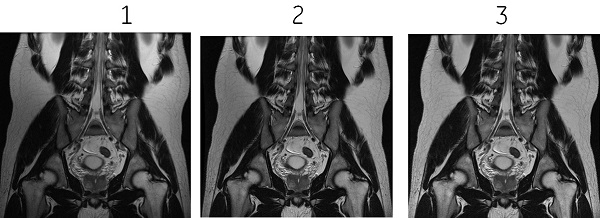
- Check all receive channels of your multi-channel coil to verify that you have a signal coming from the active coils. Use center frequency fine in manual prescan to check the signal and then check receiver 1, 2, 3 etc.
- If an active receiver is not displaying the expected signal, then check that the coil plug is well seated. The green light may be illuminated on the Coil ID, but the coil plug may still not be properly seated if all pins are not properly connecting.
- Always check the calibration images to make sure they have signal through out the image, as expected, before you acquire the PURE images. Both of these abdominal images were acquired with the same coil configuration. The PURE images exhibit the signal loss because the cal file had the signal loss.
reFINE calibration based correction considerations
ReFINE (PURE) performs an intensity correction based off of a filtered calibration scan. Signal non-uniformities present in the calibration reference can be corrected, but other sources of signal non-uniformity not present in the calibration reference will remain.
If any or all of these scan parameters are selected (ASSET, HyperBand, PURE), and if you select On from the Calibration in Prescan menu, which is located on the Details tab, a calibration scan is acquired during Auto Prescan.
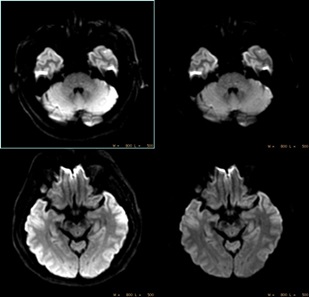
The figure below is an example of reFINE (PURE) having been applied to a DWI image, where intensity variations remain due to susceptibility effects.
It is recommended that the RF Drive Mode be the same for the calibration scan and the scan for which reFINE (PURE) is applied. For details, see RF Drive Modes: Quadrature (CP) and Preset.