Use these steps to set a default preference to save pre-trigger FTMRA real-time images as a separate series. The series number for these pre-trigger images may contain a duplicate series number with some existing series of the same exam.
Step-by-step instructions
Click the and select System Preferences.
From the System Preferences screen, type and enter your password in the Admin Password text field and click Apply.
Only MR users that have been assigned to the GESystemPreferenceGroup by the site administrator will have a password and thus the privilege to make changes.
Choose the desired Save FTMRA Realtime images option.
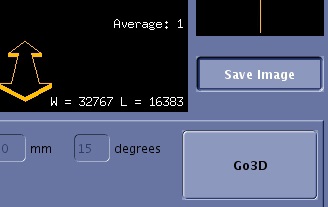
The initial state of the Save Image toggle button on the FTMRA screen for the first FTMRA task in an exam, is derived from the status of the Save FTMRA Realtime images option on the System Preferences screen. The subsequent FTMRA task in the same exam will inherit the previous state of the Save Image toggle button.
Select Off to not save the pre-trigger realtime images.
Select On to save the pre-trigger real-time images as a separate series. Figure 1. Save Image button located on the RealTime screen


 and select System Preferences.