- 00000018WIA305FA980GYZ
- id_20356271.10
- Aug 15, 2022 1:37:33 PM
Patient alert
Your MR system has a patient alert system that enables the patient to alert you at the console by squeezing a bulb. It is comprised of a squeeze bulb and a control box, typically located at the operator console.
About this task
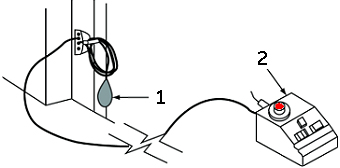
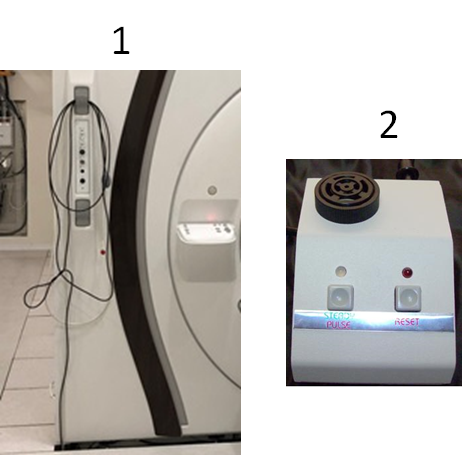
| Number | Description |
|---|---|
| 1 | Patient alert bulb attachment area |
| 2 | Control box |
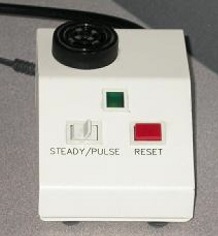
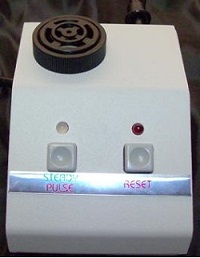
Squeezing the Patient Alert bulb causes the control box to light up and emit an audible signal. A switch on the control box allows you to set the signal for intermittent or constant light and sound.
Your MR system also has an intercom system that enables you to maintain verbal contact with the patient throughout the examination.
| CAUTION | |
|---|---|
| CAUTION | |
|---|---|
The patient alert system is comprised of a squeeze ball that is connected to the PAC and a control box. The control box is typically located at the operator console.
The patient alert port is a Type BF applied part.
Use the following steps to set the patient up with the alert bulb.
Step-by-step instructions
- Instruct the patient to loosely hold the alert bulb and to only squeeze the bulb to bring you into the scan room to consult with the patient and attend to his needs.
Figure 2. Patient holding alert bulb 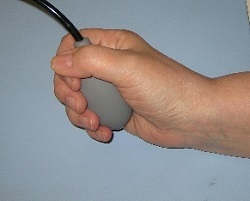
- If the patient squeezes the rubber ball end of the alert system, a loud sound is heard in the control room. Follow these steps.
- Press RESET to stop the alarm and reactivate it.
- Go into the scan room and attend to the patient's needs.
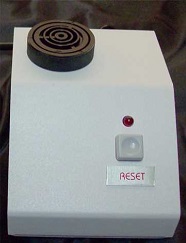
Figure 3. Patient Alert control box. Option 1: Steady/Pulse button on left and Reset button on right. Option 2: Reset button.