

- 00000018WIA309E7870GYZ
- id_400269141.5
- Apr 15, 2022 12:28:16 AM
DST
About this task
Use these steps when scanning larger patients to reduce shading in the anterior/posterior dimension and thus improve SNR and signal uniformity.
Step-by-step instructions
- From the Coil tab, select an item from the DST menu.
Figure 1. Coil tab and DST menu 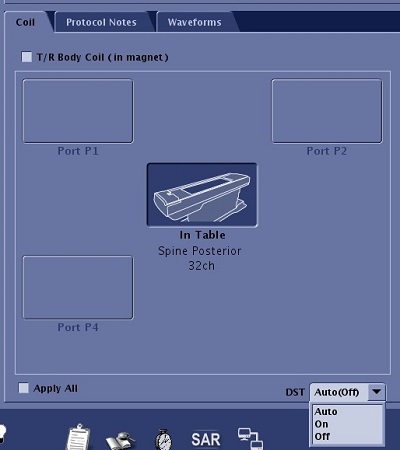
- Auto: When it is on, it automatically turns on DST if the patient weight and coils modes are valid for DST.
- On: Turns on DST for any patient weight, and if the coil modes allow it.
- Off: Turns off DST if the patient weight and coil modes are not valid for DST.