

- 00000018WIA3017A970GYZ
- id_400224351.1
- Jul 21, 2021 4:18:38 PM
Mini Patient List
Click the  to open the list of series for the currently active exam. The series already present in the session are shown in italics. To add series not present in the session, select a series from the list and drag and drop it into any viewport.
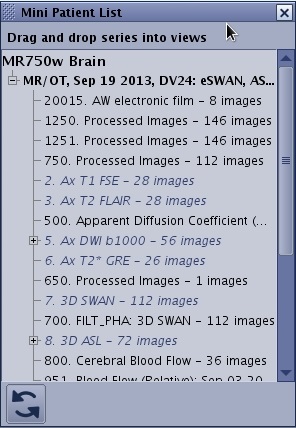
Click the  on the Mini Patient List screen to close the Mini Patient List and return to the current review session.