

- 00000018WIA305A9870GYZ
- id_400212731.0
- Jun 17, 2021 12:26:24 PM
Add an image procedure
The image capture tools are used to capture an area of the screen (image or user interface) and then insert it into the active Protocol Note.
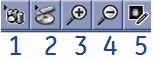
| # | Description |
|---|---|
| 1 | Image capture |
| 2 | Opens user interface to insert an image from a USB device or CD |
| 3 | Magnifies the image in the Protocol Note |
| 4 | Minifies the image in the Protocol Note |
| 5 | Opens a Picture Viewer that allows you to paint over areas of the image. For example, paint over patient information |
Use these steps to add an image related to the series that is currently in a setup state (INRX).